Meet the World Map: Find Your Next Paper City Guide
Explore our new 3D world map, browse cities by country, and zoom into guide locations. Find a place that catches your eye, then take its paper guide along.
New in Paper City Guide
Articles and audio are currently available in English only.
Listen to this article
Press Listen to play the article.
Download MP3 · 3.0 MBA list is useful when you know where you want to go. Sometimes, though, you want to look around first. Our new destination map gives you a way to explore Paper City Guide through geography: turn the globe, choose a country, and zoom into a city to discover the guides waiting there. Use it to find a place, get your bearings, and choose what to take with you.
Start with the world, then choose a city
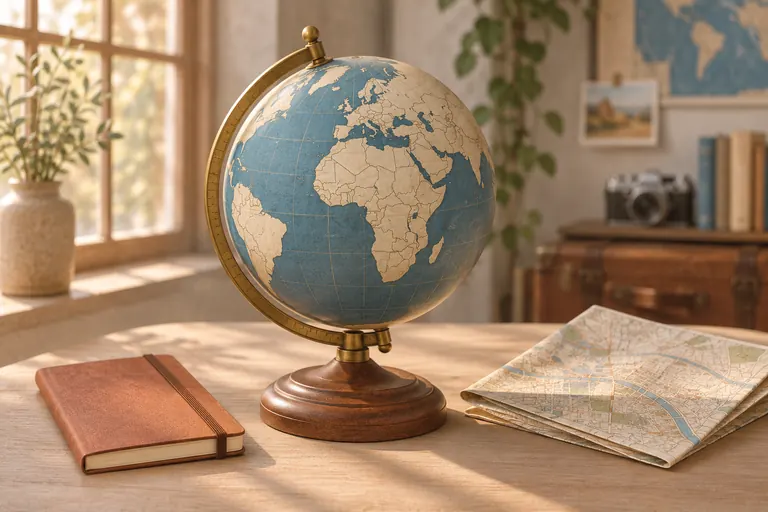
Open the destination map and start with the globe. Drag to turn it and see where our published city collections are. Country flags make the markers easier to recognize, while the country and city pickers help you go straight to somewhere you have in mind.
Choose Japan to browse its cities, or try Argentina, France, Italy, or another country in the list. Selecting a city brings its guide locations into view and opens its illustrated guide list. If a collection catches your attention, the Explore city guides link takes you to its full city page.
Switch from the globe to a detailed street map
The Globe and Flat map controls let you choose how to look around. The globe is a natural place to begin a little destination browsing. The flat view helps when you want to understand the shape of a city and the streets around a particular place.
Zoom in to see more detail, including roads and place names. Drag to move around. You can zoom with a mouse wheel, a trackpad gesture, a pinch on your phone, or the on-screen buttons. With the map focused, the + and − keys zoom and the arrow keys move the view. Reset returns you to the world, and fullscreen gives the map more room.
Open a guide from its pin
Each individual guide pin opens the page for that destination. Read about the place, look at its illustrated preview, and choose the guide you want to bring. When several locations sit close together, a marker shows how many are grouped there. Select the group to zoom closer; locations that share a point can offer a list of their guide links.
Try Yokohama as a first stop. Look around the waterfront for the Red Brick Warehouse, Osanbashi Pier, and Yamashita Park, then explore the guide list for more ideas. Seeing places together can help you decide which part of a city deserves your afternoon.
Search when you have something in mind
The search field looks through city and guide names, including their canonical and native names. Try a place name or part of one, such as ramen museum. You can combine a search with a country filter to narrow the list.
The illustrated directory stays beside the map on a larger screen and below it on a phone. It includes every published guide, including those whose map position is still being checked. If you cannot find a guide pin, look in the list or open the full city collection. Searching happens locally in your browser.
Choose a guide, then put it in your pocket
Once you have found a destination, open its guide page and choose the edition that suits your visit. Selected guides are free to download; paid guides and city collections are available through their existing purchase options. The map itself is free to browse.
Print the guides you want, follow the printing and folding instructions, and take them along. You can use the map to make your choices before leaving, then turn your attention to the city when you arrive. A printed guide is handy for remembering what caught your eye.
Explore in your language and at your own pace
The map interface and guide pages follow the eight published website languages. It also follows your light or dark appearance setting and works on phones and larger screens. You can reach guides through the directory if the interactive map cannot load.
Use the map to discover a city you have been considering, or spend a moment somewhere unfamiliar. Choose a country, open a city, and see which guide makes you want to step outside.
Sources and review date
Feature descriptions were checked against the published Paper City Guide destination map on November 19, 2026. Map pins cover locations with sourced coordinates; the directory includes the full published catalogue.
- Destination mapPaper City Guidehttps://papercityguide.com/destination-map
- Printing and folding your guidePaper City Guide Help Centerhttps://papercityguide.com/help/printing-and-folding